
Word Search Solitaire
PlaySimple GamesWord
4.9493.00 Reviews
- Version
- 1.80.0
- Installs
- 100.00K
- Age Rating
- Everyone
Screenshots
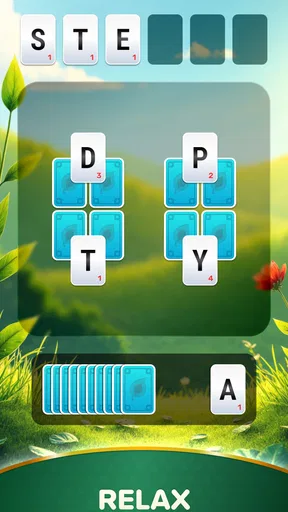
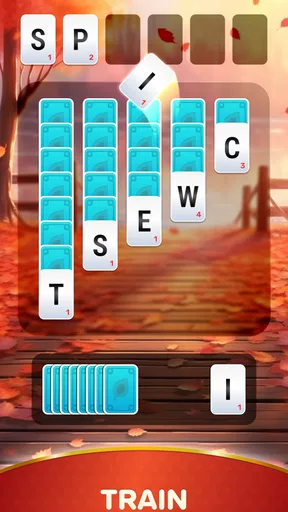
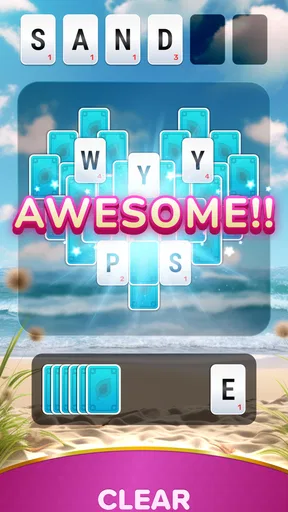
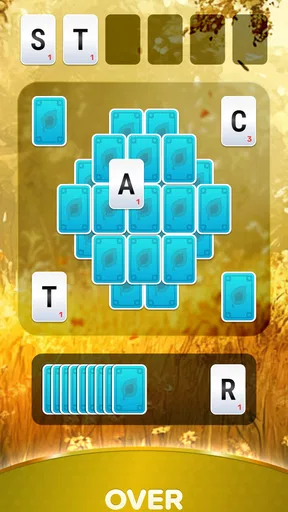
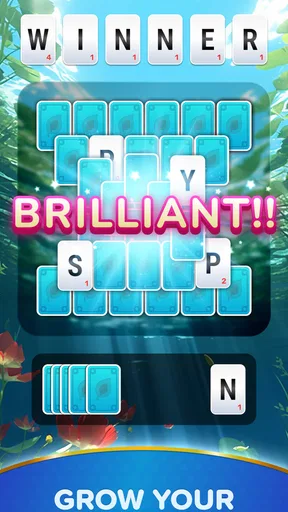
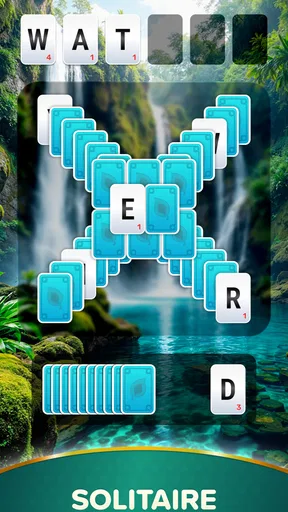
Our Review of Word Search Solitaire
 Analysis by Appyee
Hey there, puzzle lovers! If you're anything like me, you're always on the hunt for the next great brain teaser to keep your mind sharp. Well, let me introduce you to something that’s been my latest obsession: Word Search Solitaire. This app is like a delightful mash-up of your favorite word search and solitaire games. Let’s dive in and see what makes it tick, shall we?
Who Will Enjoy This Kind of Word Puzzle?
I’d point this game toward people who like word searches but want a little more to think about than simply finding every hidden word. The solitaire element makes choosing a word feel consequential: a word that looks easy to spot may not be the best one to select if another choice could help clear the board more effectively. That makes it a good fit for short breaks when I want a small planning challenge, not just something to tap through without thinking.
It also suits players who prefer familiar rules over a complicated new game system. If you already enjoy scanning letter grids, the basic idea is approachable, while the board-clearing decisions add a different rhythm. On the other hand, if your ideal word game is a crossword with clues, a spelling challenge, or a competitive match against another person, this may feel too focused on finding and selecting words from a grid. I’d choose those alternatives when I want language clues, head-to-head play, or a more deliberate sense of progression.
A Practical Way to Play in Short Sessions
One useful habit is to pause briefly before selecting the first word that catches your eye. Scan the grid for several possibilities, then consider which choice seems most helpful for opening up the remaining board. That small routine makes the solitaire side more meaningful and can help avoid spending a hint simply because I rushed into a decision. I’d save hints for a genuine dead end rather than using one whenever a level becomes slightly uncertain.
The game’s short-session appeal is easy to picture: I could open it while waiting for an appointment, play a level during a quiet break, and put my phone away when I’m called. At home, it can also work as a low-pressure wind-down activity when I want something more engaging than scrolling but less demanding than a long story-driven game. If I’m tired, I can stick with an easier challenge; when I want more concentration, a tougher level gives me a reason to slow down and plan.
How It Sits Beside Other Word Games
Compared with a standard word-search app, this one asks me to think about selection as well as recognition. The difference is subtle but important: spotting a word is only part of the task, because the order of choices affects how I approach clearing the board. Compared with solitaire without words, it adds the pleasure of scanning for vocabulary rather than moving cards. That blend is the reason to try it, though it may not replace either traditional format if you strongly prefer one of them on its own.
There is a trade-off in that combination. Players who want a pure vocabulary workout may find the board strategy takes attention away from definitions or spelling, while people looking for classic card solitaire may not get the familiar card decisions they expect. I see it as a specific middle ground: a visual word puzzle with a planning layer, best suited to someone who enjoys both ingredients but doesn’t need either one to be completely traditional.
What Exactly is Word Search Solitaire?
Picture this: you’re blending the classic charm of a word search with the strategic depth of solitaire. That’s Word Search Solitaire in a nutshell. You start with a grid of letters, much like a regular word search. But here’s the twist: you’re actually playing a strategic game of solitaire with words! The challenge is to find words that help you clear the board, all while strategizing your next move.
Getting Started: The Basics
When you first open the app, you're greeted by a simple but inviting interface. It’s super user-friendly, so even if you’re new to this type of game, you won’t feel lost. You can choose your difficulty level, which is great if you’re looking to ease into it or if you’re ready for a hardcore brain workout. The levels range from easy to expert, so there’s something for everyone.
Once you select a level, the game begins by presenting you with a grid of letters. Your job is to find and select words from the grid. The longer the word, the more points you score. But remember, it’s not just about finding words; it’s about finding the right words to clear the board like you would in solitaire.
The Gameplay: A Perfect Blend of Strategy and Fun
This is where the game truly shines. You need to think ahead and plan your words strategically. It’s not just about spotting words but also about picking the ones that will open up new possibilities on the board. There’s a real sense of satisfaction when you clear a tough level, and trust me, it’s super addictive!
The game also offers hints if you find yourself stuck, but use them wisely! They’re limited, and you’ll want to save them for when you really need them. The balance between challenge and assistance is just right, keeping you hooked without feeling frustrated.
Design and User Experience
I’m a sucker for good design, and this app doesn’t disappoint. The aesthetics are clean and pleasing to the eye, with a soothing color palette that makes it easy to play for long stretches. Plus, the controls are intuitive and responsive, which is a big plus in my book.
The app runs smoothly without any annoying lags or crashes, which is crucial for maintaining that all-important flow when you’re deep into a game. Whether you're playing on Android or iOS, the experience is seamless.
Speed, Stability, and What to Expect
My main performance expectation for a letter-grid game is straightforward: selecting words should feel responsive, and the interface should stay out of the way while I scan the board. Word Search Solitaire’s simple presentation suits that kind of play. I wouldn’t choose it for demanding graphics or fast action; its appeal is the steady pace of spotting options and deciding which word to take.
Any casual mobile game can feel different across devices and sessions, so I wouldn’t treat one smooth play session as a guarantee that every phone will behave identically. If the game ever seems slow, I’d first close other demanding apps and check that the device has enough free space and a current system environment. Those are sensible general steps, not a special fix for this game, but they can help distinguish a temporary device slowdown from a game-specific problem.
Playing More Without Losing the Thread
During a longer stretch of play, the main demand is attention rather than complicated controls: repeatedly scanning a grid can become tiring, even when the game itself is calm. I’d take a pause between levels if my eyes start skipping over letters, because a fresh look is often more useful than pressing on and spending hints out of frustration. This is also a good reason to keep sessions flexible rather than treating every available level as something to finish at once.
If you need to stop unexpectedly, the practical question is whether you can return to the same point. I would avoid assuming that every interruption, app closure, or device restart will preserve a particular board unless I have seen that behavior on my own device. For a quick interruption, I’d leave the app in the background when possible; for anything important, I’d finish the current level first. That cautious approach matters more than relying on an unconfirmed recovery feature.
Device Fit and Value
PlaySimple Games is the developer, and the game is free to download, with optional in-app purchases listed from $2.99 to $79.99 per item. I’d treat the free entry point as a chance to see whether the word-and-solitaire combination suits me before considering any purchase. If you prefer to avoid spending inside games, it is worth checking the purchase prompts carefully and not tapping through them automatically.
The game is rated Everyone, has a 4.8 average from around 5,000 ratings, and has been installed over 100,000 times. Its current version is 1.72.0, and the minimum operating system requirement is 7.0. Those details can help you judge whether it is likely to be available for your device, but compatibility also depends on the device and its software. If your phone is older or has little free storage, I’d check the installation requirements on your device before making plans around a long session.
Why You'll Love It
If you’re into puzzles, Word Search Solitaire is a must-try. It’s challenging enough to keep you engaged but also provides a fun, casual experience that’s perfect for winding down. Plus, it’s a great way to boost your vocabulary and keep your brain active.
Whether you’re killing time on a commute or looking for a relaxing way to unwind at home, this app fits the bill. The mix of word search and solitaire is unique, making it stand out in a sea of puzzle apps.
When I’d Choose Something Else
I wouldn’t make this my first recommendation for someone who wants multiplayer competition, a story to follow, or lessons that systematically teach new vocabulary. Its pleasures are quieter and more self-contained: look over the letters, make a choice, and work toward clearing the board. If that loop sounds repetitive after a few rounds, a clue-based word game or a more varied puzzle collection may be a better match.
Likewise, if you’re mainly looking for a way to pass time without concentrating, the strategic choices may feel like extra effort rather than a bonus. I find the game most rewarding when I’m alert enough to compare options, but not in the mood for a demanding or lengthy challenge. That distinction helps set expectations: it is casual, but it still asks you to pay attention.
My Performance Verdict
For the kind of game it is, the most important performance quality is a comfortable, responsive feel while searching and selecting—not visual spectacle or complicated effects. The clean interface and straightforward controls support that. I’d describe it as a light puzzle experience in its demands, while keeping in mind that actual speed and stability can vary with device condition and software. If you encounter a problem, restarting the app and checking for an available update are reasonable first steps; persistent trouble is a reason to reconsider whether your device is a good fit.
Final Thoughts
All in all, Word Search Solitaire is a fantastic app that brings something fresh to the table. It’s a game that’s easy to pick up but hard to put down, which is exactly what you want from your mobile games. So, go ahead and give it a download. I promise you won’t regret it!
And hey, if you do end up trying it, let me know how you like it! I’d love to hear your thoughts and maybe even swap a few tips. Happy puzzling!
Verdict
Strengths of Word Search Solitaire
- Engaging puzzles with a variety of themes.
- Smooth and intuitive user interface.
- Offline mode available for on-the-go play.
- Minimal ads for uninterrupted gaming.
- Regular updates with new content.
Limitations of Word Search Solitaire
- Limited hints can be frustrating for beginners.
- Occasional glitches on older devices.
- In-app purchases can be pricey.
- Some puzzles may repeat over time.
- No multiplayer mode for social play.
Other Releases by PlaySimple Games
View All


Similar Picks in This Category
View All
Word Search - Word Puzzle Game
Bluetile4.8

Word Search Quest - Puzzles
Blackout Lab4.8

CodyCross: Crossword Puzzles
Fanatee, Inc.4.7

Words of Wonders: Crossword
Fugo Games4.9

Wordscapes: Word puzzle game
PeopleFun4.7

Word Search Explorer
PlaySimple Games4.9
Frequently Asked Questions
What is Word Search Solitaire and how does it work?
Word Search Solitaire is a unique blend of word search puzzles and solitaire card games. Players must find words hidden within a grid while strategically using cards to complete levels. It combines the best of both genres, challenging your vocabulary and problem-solving skills. The game has different modes and levels, ensuring engaging gameplay for all ages.
Is Word Search Solitaire free to play?
Yes, Word Search Solitaire is free to download and play. However, it does offer in-app purchases that can enhance your gaming experience. These purchases might include hints, additional levels, or special card packs. It's possible to enjoy the game fully without spending money, but in-app purchases can provide extra convenience.
What are the system requirements for Word Search Solitaire?
Word Search Solitaire is available for both Android and iOS devices. For Android, it typically requires version 5.0 or later, and for iOS, it generally needs version 10.0 or newer. Ensure your device has adequate storage space and a stable internet connection for the best experience and to download updates smoothly.
Does Word Search Solitaire offer multiplayer options?
Currently, Word Search Solitaire is primarily a single-player experience. It focuses on personal skill development and puzzle-solving. However, players can connect with friends through social media integrations to share scores and achievements, adding a competitive edge and encouraging friendly competition.
Are there any ads in Word Search Solitaire, and can they be removed?
Word Search Solitaire does contain ads to support its free-to-play model. These can occasionally interrupt gameplay, but they are generally kept to a minimum. Players have the option to remove ads through a one-time in-app purchase, allowing for an uninterrupted gaming experience.
Play our best games!


